
The short answer
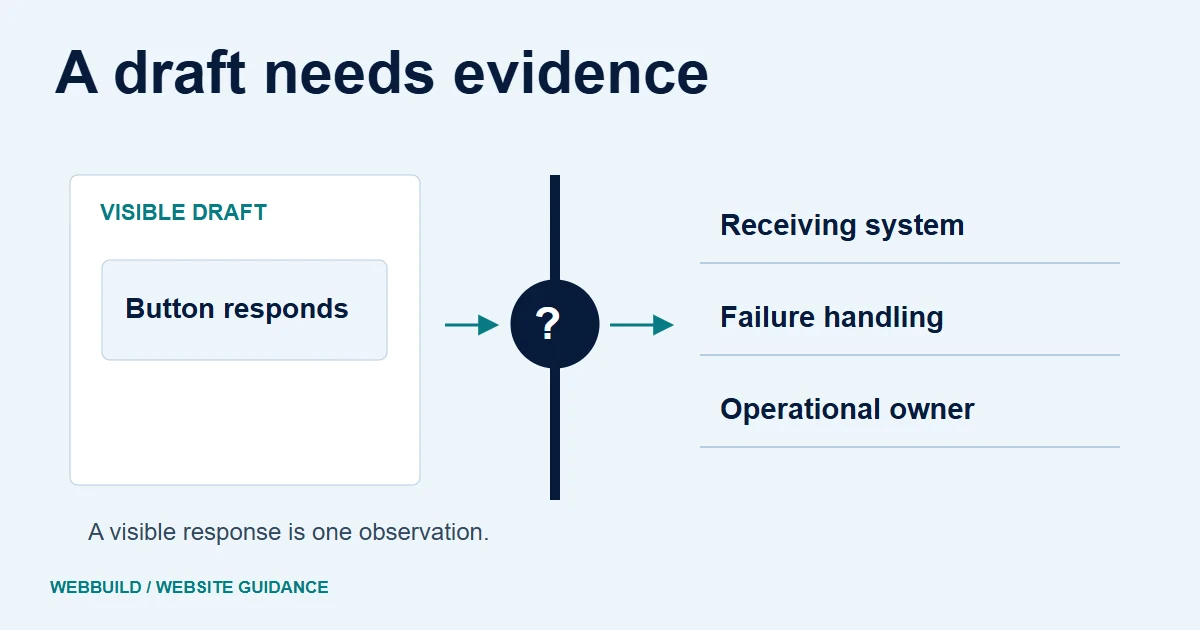
Treat the generated page as a draft until the important customer tasks, content, ownership and operating arrangements have been checked. A convincing screenshot cannot confirm form delivery, access controls or a recoverable launch.
An AI builder can give you something visible quickly. The launch decision needs a different kind of review: can a customer complete the task, does the business receive the result, and can someone maintain the site? The same checks matter for a hand-written website.
Write an acceptance task before checking the page
Choose the action the website exists to support. For a service business, that could be reading a service explanation and sending an enquiry. For a booking site, it could be choosing an available appointment and receiving the agreed confirmation.
Write the expected result in plain language. Name the destination and the person responsible for checking it. A button that changes colour is not the same evidence as a record arriving in the correct system.
Follow the form beyond the submit button
Check empty fields, invalid values and a successful test using the project's agreed process. Review the message shown to the visitor and whether their input remains available after a failure. W3C's form guidance explains why feedback needs to identify what happened and what the user can do next.
A local demonstration accompanying this draft compares a non-submitting preview button with a labelled, validated form that produces an explicit local-only result. It is an intentionally constructed editorial example, not an AI vendor test or a client project. It does not send email or prove receipt persistence.
Use that distinction when reviewing your own build. If a developer shows only the front-end response, ask how delivery and error handling will be verified separately.
Illustrative evidence boundary
A page response is one part of the evidence.
Browser response
Visible interaction
Check the message and error feedback shown to the visitor.
Receiving system
Separate delivery check
Verify the destination, any saved record and who handles the result.
The local demo establishes format feedback. Delivery and persistence remain separate acceptance tasks.
Inspect the supporting local capture

This actual browser capture uses a fictional address. Open the existing constructed example.
Check content and search access
Verify service claims, contact information, project names and images. Replace invented testimonials and outcomes with material the business can substantiate. Inspect page titles, links and the important text, not only the homepage screenshot.
Google's Search Essentials describe requirements and practices for search eligibility. Completing an SEO settings panel does not guarantee that a page will be indexed or achieve a particular position. If an old site is being replaced, include its useful URLs and content in the transition plan.
Match the review depth to the risk
A brochure page and an application with customer accounts have different responsibilities. Where logins, private data or payments are involved, ask for a technical review of permissions, input handling and the relevant integration. Do not describe a visual check as a security audit.
OWASP's AI coding guidance places responsibility on the people accepting the implementation. A passing generated test suite by itself does not establish that the right behaviour was tested. Agree who reviews the implementation and the meaningful failure cases.
Review checkpoints
- Content
- Claims, contacts, links and image rights
- Journeys
- Success, failure and delivery destination
- Risk
- Private data and permission boundaries
- Operation
- Access, recovery and support owner
Establish ownership before publishing
Identify the domain, hosting, site editor, source export and third-party service accounts. Confirm the access your business has and any subscriptions needed to keep the site working. Export and usage rights depend on the actual platform and agreement.
Keep a recovery plan and a named support contact. If the site breaks after launch, someone should know which provider or account is responsible for the affected part.
Decide what is actually ready
Keep a short evidence log: task, expected result, test environment, observed result and unresolved work. Mark anything not exercised as untested. That is more useful than declaring the entire site finished because its design looks complete.
Discuss a website review if you need help defining the remaining work. If the question is whether AI is suitable in the first place, use the companion AI redesign guide.
Try the constructed form-feedback example
Tell us about your project
Start with your details. We’ll discuss the right next step.
Questions covered in this guide
Does the demonstration prove email delivery?
No. It is a constructed local validation example with no receiving system or persistence.
Does a working layout establish security?
No. Review the relevant permissions and data boundaries separately, based on the project requirements.
Sources and project context
- OWASP secure coding with AI Checked 7 November 2026
- W3C accessibility guidance Checked 7 November 2026
- Google Search Central guidance Checked 7 November 2026
- Yukt Law Offices: redesign and continuing website care Web Build Solutions project record
Turn the question into a clear next step.
Tell us about your current setup, the people using it and what needs to improve.