
The short answer
A useful first step is a review of what you can access, export and maintain. A developer may be able to keep parts of the draft, but the route depends on the platform, the implementation and the features your business needs.
You may have a layout you like and a small set of features that do not yet work. Starting again is one option, but it should follow a review rather than an assumption that all generated work must be discarded. First establish what exists and what the chosen platform allows.
Bring the draft and explain the unfinished task
Share a public preview where appropriate, a list of intended pages and an example of the task that fails. Describe whether the problem concerns content editing, a form, mobile navigation, an integration or deployment.
Separate your preferred visual result from the implementation underneath it. A developer needs to know which parts must remain and which are open to change. Do not send passwords, customer data or private repository tokens in an initial enquiry.
Establish what can be accessed and transferred
Ask who controls the project account, whether source export is available and what the exported material includes. A hosted builder, a static export and a custom application can require different completion work. Confirm the selected platform's current terms rather than assuming every project can move unchanged.
For example, Webflow documents a particular eligibility limitation for its AI site builder. That is a reason to check the actual project and product, not a reason to generalize that every AI-built website can or cannot be continued.
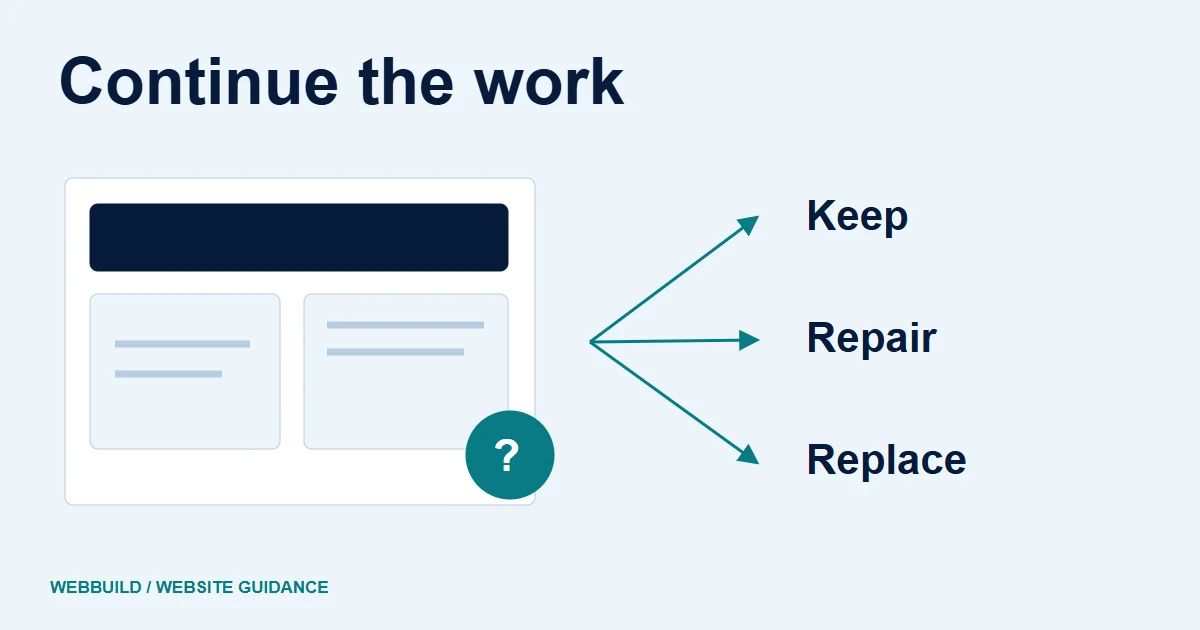
Illustrative component assessment
Scope the work around the unfinished part.
First establish platform access and any export or licence limits.
- KeepThe part already meets the brief.
- RepairA defined defect can be corrected.
- ReplaceThe part cannot meet the agreed need.
Compare keeping, repairing and rebuilding
A useful assessment identifies what is already suitable, what needs repair and what cannot meet the brief in its present form. Keep the decision tied to observable requirements. If a simple enquiry form is the only missing part, do not assume that a new application is necessary.
If the draft contains user accounts, private records or payments, the review needs to include those boundaries. OWASP's guidance on AI-assisted coding reinforces the need for a responsible human reviewer. A polished layout does not establish that an access-control path is correct.
Define a completion package
Ask for the proposed deliverables and acceptance checks in writing. A package might cover selected layouts, content cleanup, form implementation and launch preparation. Another project may require code restructuring or a different platform. These are possible scopes, not a fixed WebBuild package or a price promise.
List any required accounts, licensed assets and third-party fees. Clarify what remains on the current platform and what moves elsewhere. If the work changes an existing public site, include URL preservation and a controlled transition.
Review checkpoints
- Keep
- Working content and suitable layouts
- Repair
- Defined defects with testable outcomes
- Replace
- Parts that cannot meet the agreed brief
- Confirm
- Platform rights, access and support
Check the final journey and handover
Test the customer action from beginning to end. Include failure feedback, the destination of an enquiry and the team's ability to make an ordinary content change. Keep UI success separate from evidence that a record was received or an email delivered.
Document who can deploy, renew subscriptions, restore the site and request support. The project should end with usable access and agreed responsibilities, subject to the actual licences and contract.
Ask for help with the defined gap
Bring the draft, the platform name, the unfinished tasks and the evidence you already have. Discuss website development to work out whether a focused completion scope is possible. For the decision about releasing the draft, review the AI launch checklist. Neither guide promises that every generated project can be repaired without a rebuild.
Tell us about your project
Start with your details. We’ll discuss the right next step.
Questions covered in this guide
Must an AI-started site always be rebuilt?
No. Inspect the implementation, available access and platform conditions before choosing a scope.
Should credentials be sent in an initial enquiry?
No. Begin with the platform name, an appropriate public preview and a description of unfinished tasks.
Sources and project context
- OWASP secure coding with AI Checked 7 November 2026
- Webflow product documentation Checked 7 November 2026
- Yukt Law Offices: redesign and continuing website care Web Build Solutions project record
Turn the question into a clear next step.
Tell us about your current setup, the people using it and what needs to improve.