
The short answer
Define which audiences need different language or regional content before creating extra pages. Plan addresses, translation responsibility, navigation and review together. Separate language versions from location claims, and keep the business's actual service arrangements clear.
A business serving India and New Zealand may need clearer delivery information without needing two copies of every page. A business serving readers in different languages may need separate content and an editing process for each version. Establish the difference before the redesign becomes a collection of near-identical location pages.
Google distinguishes multilingual sites from multi-regional sites in its international guidance. The implementation should follow the actual content and audience requirements, rather than assuming that every country needs its own website.
Identify the difference the visitor needs
Write down the service, customer task and information needed in each proposed version. Does the reader need another language, different service availability, a different contact arrangement or locally relevant evidence? If none of those changes, explain why an additional page would help.
A remote provider can describe communication and delivery arrangements honestly. Mentioning Auckland does not establish an Auckland office, on-site support or local staff. Use verified project roles and current service information when describing international experience.
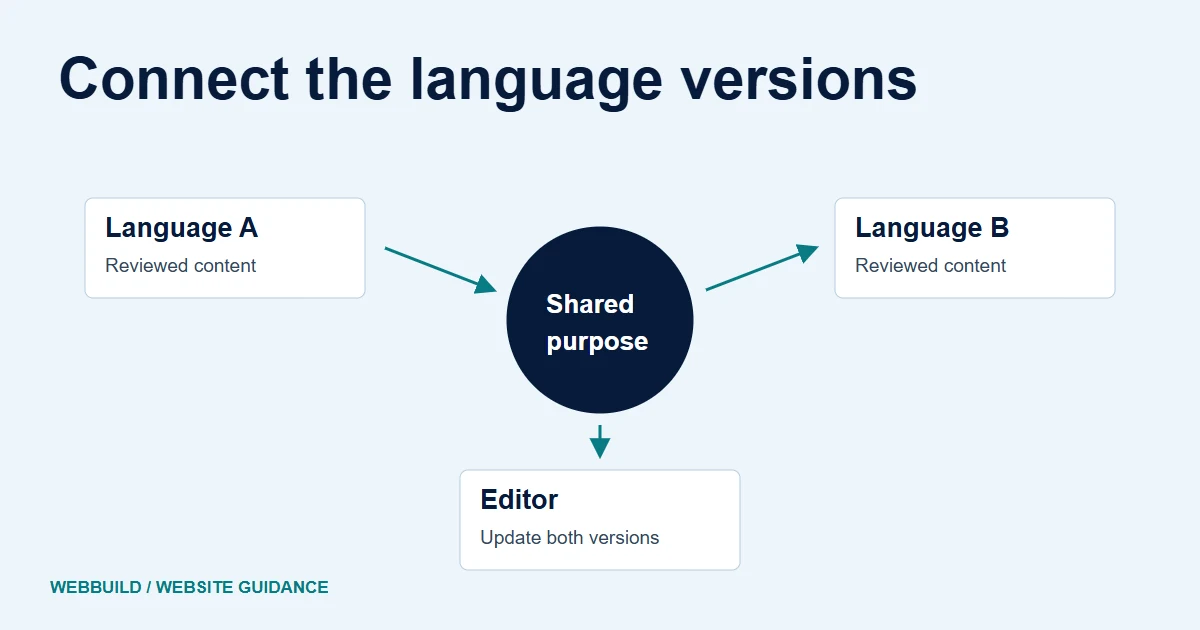
Illustrative editorial map
Keep language versions connected to the source.
Language version A
Review the facts and the translation.
Language version B
Review the facts and the translation.
A different market needs its own content only where the reader needs different information.
Plan the content before choosing the address pattern
List the pages that need translation and those that can remain shared. Give each version a factual reviewer and a language reviewer. A fluent translation can still carry an outdated service claim or an incorrect link.
Decide what happens when the source page changes. Record who identifies affected versions and who approves their updates. A second language creates continuing editorial work, including navigation, image text and form feedback. Include that responsibility in the scope.
Give useful versions stable addresses
Google recommends different URLs for different language versions. Ask the implementer to document the chosen URL structure and appropriate alternate-language references, including hreflang where relevant. Have that implementation checked against the actual page relationships.
Do not rely entirely on automatic redirection based on an assumed location or language. Provide a clear way for visitors to reach the available versions. A person travelling or sharing a link may need a different version from the one inferred by the website.
Review checkpoints
- Audience
- Language, market and customer task
- Content
- What differs and why?
- Review
- Who checks the translation and facts?
- Operation
- Who receives and handles the enquiry?
Review complete pages in each language
Test navigation, headings, long labels and the contact route with the real translated content. A layout approved using short English placeholders may not fit another language. Check meaningful image descriptions and any text embedded in illustrations.
Follow a form through its instructions, validation and confirmation. Then confirm who receives it and whether that person has the language and service context needed to respond. A translated submit button is only one part of the journey.
Preserve the useful content during the move
Include each language version in the content inventory and URL plan. Identify pages that remain, move or combine, and check links between versions after migration. The redesign migration guide covers the broader transition work.
Keep a practical review record: page, language, factual owner, translation owner, linked counterpart and unresolved question. This makes omissions visible without implying that translation itself guarantees search visibility.
Discuss your redesign requirements with examples of the audiences and tasks you need to support. Plan regional material only where it supplies information that helps those readers make a decision.
Tell us about your project
Start with your details. We’ll discuss the right next step.
Questions covered in this guide
Does targeting Auckland mean claiming a local office?
No. Explain actual service coverage, delivery and contact arrangements without inventing physical presence.
Should every regional page be a copy with a new place name?
No. Create separate content only where the audience and information need a useful distinction.
Sources and project context
- Google Search Central guidance Checked 7 November 2026
- Yukt Law Offices: redesign and continuing website care Web Build Solutions project record
Turn the question into a clear next step.
Tell us about your current setup, the people using it and what needs to improve.