The short answer
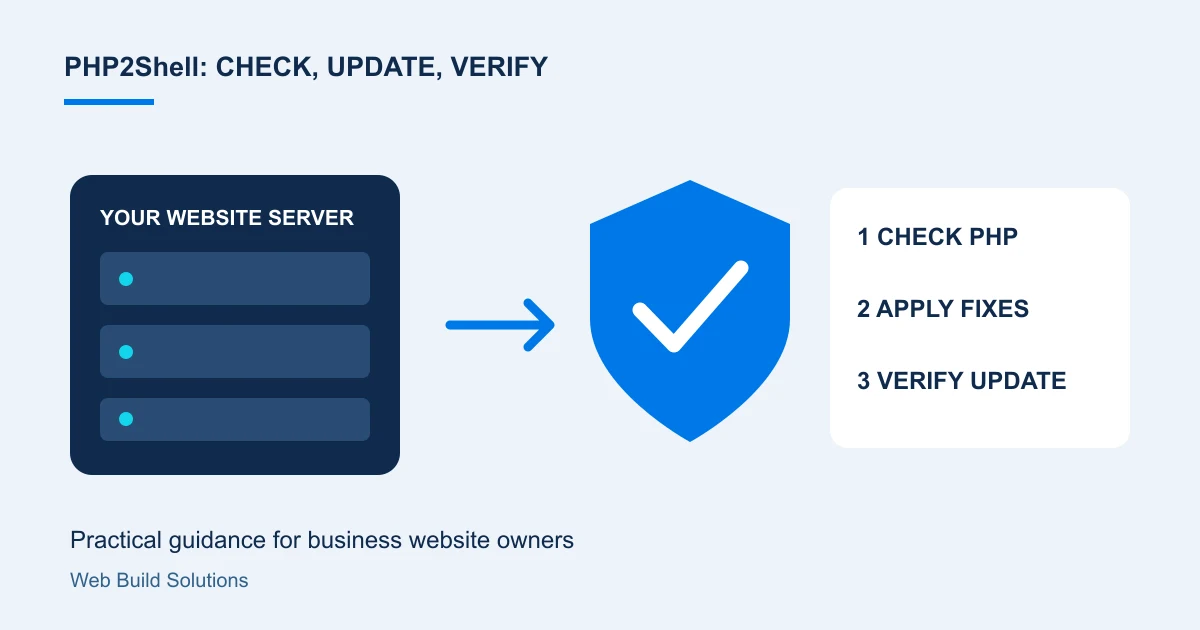
Ask your hosting provider to confirm that every PHP runtime serving your website has the PHP2Shell fixes. Arrange the appropriate update, restart affected services, verify the active runtime and test key customer journeys. Treat suspected compromise as a separate investigation.
A security alert is difficult to act on when you do not manage the server yourself. The useful first step is to find out who owns the update and ask for confirmation that your live website is running the fixed software.
This guide is for business owners arranging that work. Information was checked on 23 October 2026; ask your provider to consult the current vendor advisory before making changes.
What is PHP2Shell, and could my website be affected?
PHP2Shell refers to two PHP vulnerabilities: CVE-2026-109618 and CVE-2026-109619. PHP's advisory says affected installations handling web requests can allow code execution without a login. This concerns the PHP runtime beneath a website, including PHP-FPM, mod_php and other web integrations. Read the PHP advisory.
If you use WordPress, an online shop or a custom PHP application, ask the host to check its runtime. Do not assume a working homepage proves that the environment is patched.
Step 1: identify the person responsible
Send your provider the domain, hosting account reference and a list of important connected sites. Ask whether separate subdomains, older applications or staging environments run different PHP versions. Agree who will coordinate the change and who can authorise a short maintenance window.
You can use this question: "Please confirm whether every PHP runtime serving our website has fixes for both PHP2Shell CVEs, including the package version, restart confirmation and verification time."
Step 2: install the appropriate PHP security update
PHP released fixes on 21 October 2026 in 8.2.35, 8.3.36, 8.4.27 and 8.5.12. Use the applicable fixed release, a later patched release, or a vendor-confirmed backport. Older PHP branches need vendor guidance or migration to a supported branch. Check the release guidance.
A distribution package can contain a backported fix without matching an upstream version number. Ask for the vendor's package advisory rather than judging the short version alone. Updating WordPress, a theme or a plugin is separate from updating PHP.
Before the change, agree a recovery plan and confirm a usable backup. Check application compatibility when moving between PHP branches. Your administrator should choose the commands and packages appropriate to the actual server; a generic command copied from a blog may update the wrong environment.
Step 3: restart, verify and test the customer journey
Installing packages is not the same as confirming that active workers use them. Ubuntu's guidance calls for restarting affected applications or rebooting so the updated components are loaded. See Ubuntu's update guidance.
Request confirmation from the runtime serving web requests, rather than relying only on a command-line check. After deployment, test the journeys your business depends on: enquiry forms, account login, uploads and checkout where applicable. Record the result and who performed the checks. Do not publish a diagnostic page exposing your server configuration.
Step 4: separate patching from an incident assessment
Keep two questions in your handover: "Is the vulnerable runtime fixed?" and "Is there anything suspicious that needs investigation?" Review unexpected file changes, unfamiliar accounts and relevant logs with the responsible provider. Preserve evidence and involve an incident-response specialist if compromise is suspected. Applying a patch does not undo earlier unauthorised changes.
What if the host cannot patch promptly?
PHP states that configuration measures reduce particular attack paths but do not replace updating. Ask the provider to assess restricting public access or temporarily isolating affected services while arranging the fix. Avoid treating a firewall rule as proof that the runtime is safe. PHP's mitigation limitations.
Need help examining and updating your website?
Web Build Solutions can review your PHP and hosting setup, identify the appropriate update path, coordinate agreed fixes and verify the website afterwards. Share your domain, provider, application type and any update confirmation you already have. Do not send passwords in an enquiry form.
Contact us for a website security assessment or explore our website security service. If the assessment indicates a suspected breach, containment and incident investigation need a separate scope.
For ongoing care, see our guides to SSL ownership, website backups and recovery and WordPress maintenance responsibilities.
Common questions
Does updating WordPress fix PHP2Shell?
A WordPress update does not replace the PHP runtime update. Ask the host to confirm that the PHP environment handling web requests has both fixes, as well as maintaining WordPress, plugins and themes.
Can you tell whether our website has already been compromised?
A version check alone cannot establish that. We can scope an assessment of your environment and available evidence; suspected compromise may require specialist incident response.
What should I send when requesting help?
Send the domain, hosting provider, application type and any patch confirmation. Keep credentials out of the initial enquiry; access arrangements can be agreed privately.
Sources and project context
- PHP: critical security advisory, 21 October 2026 Checked 23 October 2026
- Ubuntu: PHP2Shell vulnerability fixes and restart guidance Checked 23 October 2026
Turn the question into a clear next step.
Tell us about your current setup, the people using it and what needs to improve.