
The short answer
Include accessibility in the brief, design reviews, content preparation and acceptance checks. Name who tests the agreed requirements and records unresolved barriers. A successful automated scan or an attractive mobile layout does not establish complete accessibility.
Accessibility decisions affect the structure of a page, its content and the way visitors operate it. Adding an unspecified accessibility check at the end leaves little room to correct assumptions made during design. Include the work in the proposal and ask how it will be reviewed throughout the project.
W3C's accessibility planning resources cover responsibilities, implementation and ongoing management. Its evaluation guidance supports a combination of methods. Neither a polished appearance nor a tool-generated score settles whether a customer can complete an important task.
Make the responsibility visible in the brief
Describe the parts of the website being reviewed and the intended evaluation scope. Agree who prepares accessible content, who builds the controls and who evaluates the result. If specialist assessment or participation by users with disabilities is needed, allow for it explicitly.
Ask how findings will be recorded and corrected. A statement that the supplier follows best practice is difficult to accept against unless the agreement identifies what will be demonstrated. This article is a project-planning guide; it does not establish the legal requirements for a business in a particular jurisdiction.
Illustrative map of the checked local task
Make the route back to the field visible.
Email address · required
Enter an email address.
Check the local example- Activate the checkEnter on the local checking button reveals the missing-field summary.
- Follow the error linkTab reaches the summary link; Enter returns to the email field.
- Correct and retryVisible focus and field feedback show where to continue.
Inspect the captured keyboard state

Open the labelled keyboard exercise. The summary-to-field route was checked using the keyboard.
Review the structure before the visual details settle
Check that headings describe the sections beneath them and that the page has a sensible reading order. Ask whether a meaningful image has an appropriate text alternative and whether important information depends on colour alone.
Use real content during the review. A short placeholder label can hide a control that becomes difficult to understand with the final wording. A long project name or translated heading can reveal layout assumptions while they are still inexpensive to change.
Complete a journey with the keyboard
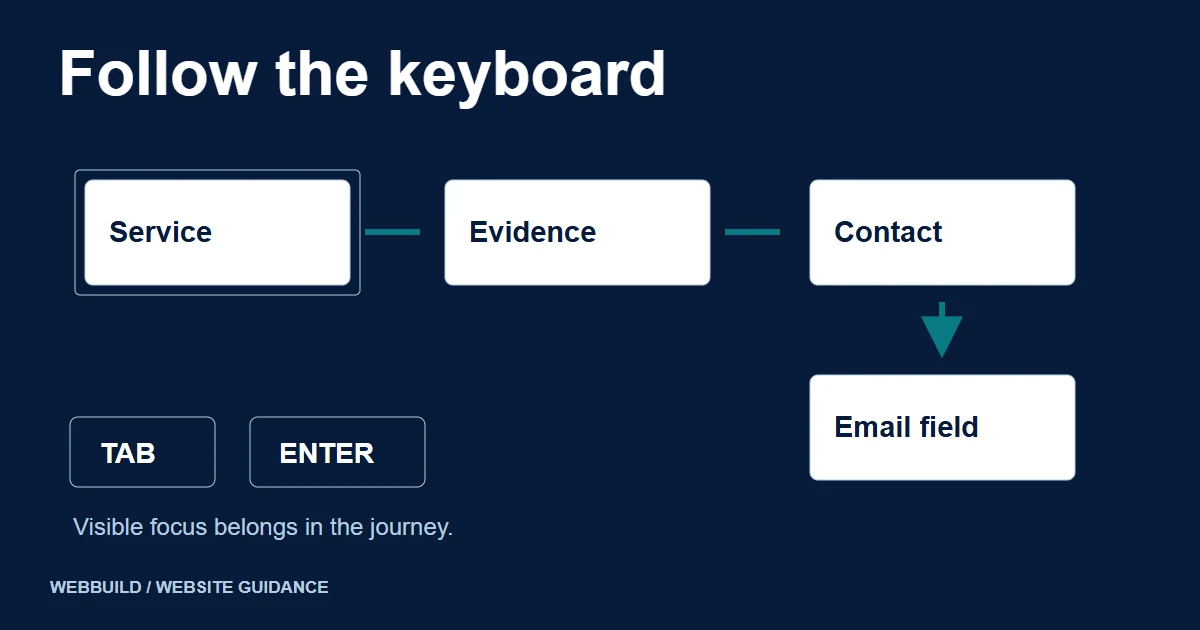
Choose an ordinary task, such as opening a service, reading its evidence and reaching the enquiry form. Review whether each control can be reached and operated, whether the focus position is visible and whether the order makes sense. Include menus and any dialogs used by the journey.
Record what happened at each failed step. An issue report should identify the page, control, input method and observed behaviour. That gives the implementer something more useful than a general instruction to improve accessibility.
Review checkpoints
- Task
- Which journey is being evaluated?
- Method
- Keyboard, assistive technology or other review
- Finding
- Observed barrier and affected step
- Owner
- Correction, retest and remaining limitation
Check the form when something goes wrong
Review labels, instructions and feedback with both valid and invalid input. Ask whether the visitor can identify the affected field and understand how to correct it. W3C's form-notification guidance explains why clear feedback belongs in this interaction.
After a correction, test the complete journey again. A changed error message can be clearer while the focus movement or submission behaviour still needs work. The lead-capture guide covers the separate question of whether the enquiry actually reaches its destination.
Keep the evidence and limitations at handover
Store the review method, relevant environments, findings and retest results with the project record. List unresolved barriers and their agreed owners. Avoid converting a limited review into an unsupported claim that every page and assistive technology has been covered.
Content changes can introduce new problems after launch. Include practical editing guidance and an appropriate route for reporting barriers. The managed CMS guide can help clarify those continuing responsibilities.
For a website redesign, include the customer journeys that matter most in the initial discussion. Accessibility work can then be scoped and reviewed alongside the rest of the delivery.
Tell us about your project
Start with your details. We’ll discuss the right next step.
Questions covered in this guide
Does an automated check establish accessibility?
No. Use automated checks alongside informed manual evaluation and appropriate user involvement.
Is this a legal compliance assessment?
No. The article concerns project planning and review responsibilities. Applicable legal obligations need separate advice.
Sources and project context
- W3C accessibility guidance Checked 7 November 2026
- W3C accessibility guidance Checked 7 November 2026
- W3C accessibility guidance Checked 7 November 2026
- Yukt Law Offices: redesign and continuing website care Web Build Solutions project record
Turn the question into a clear next step.
Tell us about your current setup, the people using it and what needs to improve.