The short answer
You can often redesign an existing WordPress website while retaining useful content and suitable working features. Start by reviewing what customers need to do, what can stay and what needs changing. Agree the scope, testing and launch plan before replacing the current site.
If your WordPress site still shows old services or makes contacting you difficult, bring those concerns to the review. Include the pages that matter most and any recurring problems your team has noticed.
Web Build Solutions can review your existing site, explain which changes are justified and agree the work before development starts. Bring your website URL and the main problem you want solved; we can help identify the technical requirements.
Request a free Website Growth Assessment for a human-reviewed starting point. There is no obligation to commission a redesign.
What should your WordPress redesign improve?
Describe the customer task that needs attention: finding the right service, reading a page on a phone, requesting a quote or completing a booking. Agree how the revised website will support that task and how the result will be checked.
List the pages, images, forms, editor roles and integrations your business relies on. Include who updates the content. This gives your developer a clear brief for what the new design must support.
What can you keep from your existing website?
Useful service descriptions, genuine project evidence and accurate contact details may carry forward. Review them before paying to recreate everything. Keep existing page addresses where their purpose still makes sense; a new design alone is not a reason to change them.
Where addresses must change, prepare relevant redirects and check them after launch. Our migration-risk guide explains the planning involved. A redesign cannot guarantee unchanged search positions.
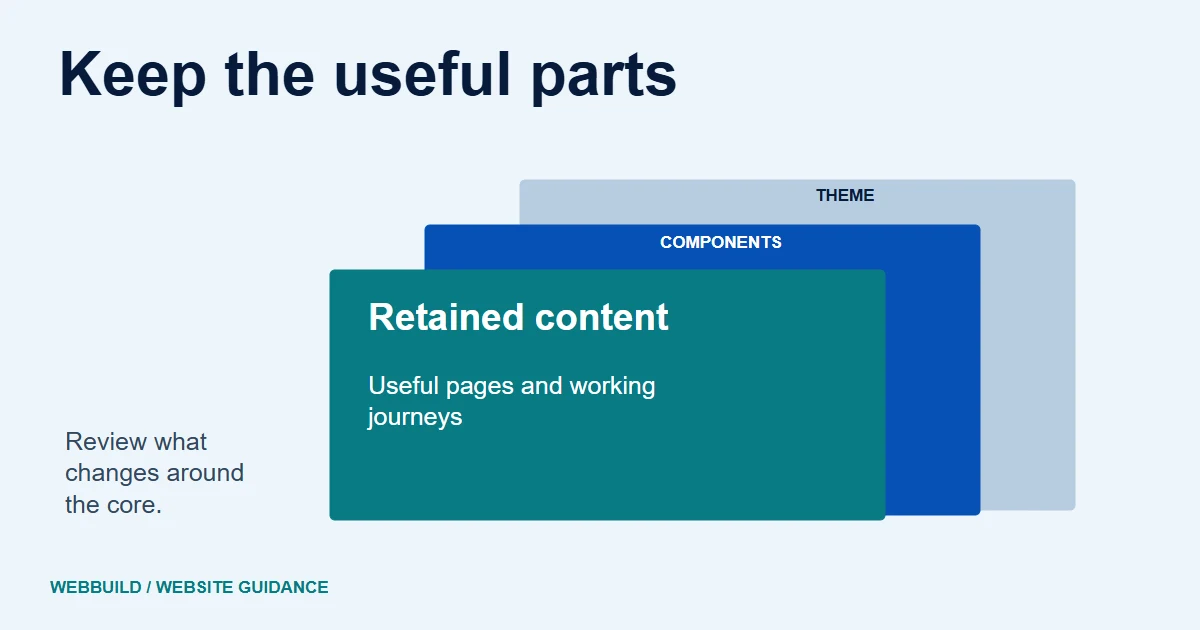
Illustrative WordPress component map
Review what sits behind the theme.
- Presentation
- Theme templates and styles.
- Content
- Pages, media and useful addresses.
- Functions
- Forms, plugins and custom integrations.
Some functionality can live in the theme itself. Check those dependencies before replacing it.
Will your forms, plugins and integrations still work?
Ask your developer to identify what provides each important function, whether it is still suitable and who maintains it. Custom code and features built into the current theme need particular attention. Plugin count alone does not establish reliability.
For enquiries, review fields, validation, receipts, notifications and any CRM destination. For a listing feed, review data mapping, update timing and how failures are noticed. These checks belong in the agreed scope.
Can you review the redesign before it replaces the live site?
Ask to review the work on a separate copy before the production transition. Agree the backup, recovery and launch plan first. WordPress's migration and backup guidance covers both website files and database content; a backup file alone does not prove that recovery will work.
Confirm who can access the backup, what it contains and how restoration will be checked. Restoration tests should use a safe copy rather than the live customer journey.
Review checkpoints
- Retain
- Useful content, working journeys, sensible URLs
- Review
- Themes, plugins, roles and custom code
- Verify
- Editor tasks, forms and integrations
- Handover
- Access, licences, recovery and support
What should work before you approve the launch?
Have an editor update a normal page. Check navigation on a phone, important links and the enquiry journey, including its errors and notification destination. Test any unusual booking, catalogue or connected feature included in your project.
Agree these acceptance checks before development. Continuing update responsibilities are covered in our WordPress maintenance article.
What affects the cost of a WordPress website redesign?
The quote should reflect the pages and templates being changed, content work, the condition of the current theme and plugins, forms, integrations and launch requirements. A small visual refresh and a site with connected bookings or sales functions need different scopes.
Ask what is included in testing and handover, and whether hosting, paid licences and ongoing support are separate. Keep useful components where appropriate, but confirm the work needed to retain them before assuming a saving. You can use our redesign cost guide to prepare your requirements.
How can WebBuild help with your existing WordPress site?
We can review the current setup and plan website redesign around the changes your business needs. We agree the retained and replaced components, account ownership, editing access and support responsibilities. Licence and export limitations should be recorded in the handover.
Start with your current URL and the features that must keep working. If you are unsure how much needs changing, request your free assessment. We review requests manually and confirm acceptance by email; accepted assessment reports follow within 24 hours of that confirmation. You can then decide whether to discuss a scoped redesign.
Tell us about your project
Start with your details. We’ll discuss the right next step.
Questions covered in this guide
Does a redesign require replacing every plugin?
No. Review the purpose, suitability and support of each important component before deciding.
What should be tested after a theme change?
Check the customer and editor tasks, forms, links and any connected features included in the scope.
Can you redesign my existing WordPress website?
We can review the current website and discuss a suitable scope. Useful content and working features may be retained, while the theme, plugins and custom connections need checking before we confirm what can carry forward.
Can I get a fixed redesign price before the website is reviewed?
A useful quotation needs a clear scope. The number of templates, content changes, current site condition, integrations, licences and acceptance checks affect the work. Share your URL and requirements so those items can be reviewed before a price is agreed.
Sources and project context
- WordPress official guidance Checked 21 November 2026
- WordPress official guidance Checked 21 November 2026
- Yukt Law Offices: redesign and continuing website care Web Build Solutions project record
Turn the question into a clear next step.
Tell us about your current setup, the people using it and what needs to improve.